A weekly watch is not a keyword alert. Nothing arrives the moment a word is posted. Once a week, IdeaFast scans the same communities again and emails you only the problems that are new to you, so a community you care about keeps working for you without a new scan each time.
Need a ping the moment a word is posted instead? That is a different kind of tool: see Reddit monitoring tools compared. The pictures below come from a demo account.
Start a weekly watch, step by step
Step 1: Open the scan you want to watch
Click Scans in the side panel, then the scan of the community you want to follow. A watch starts from a saved scan, so run a scan of that community first if you have none.
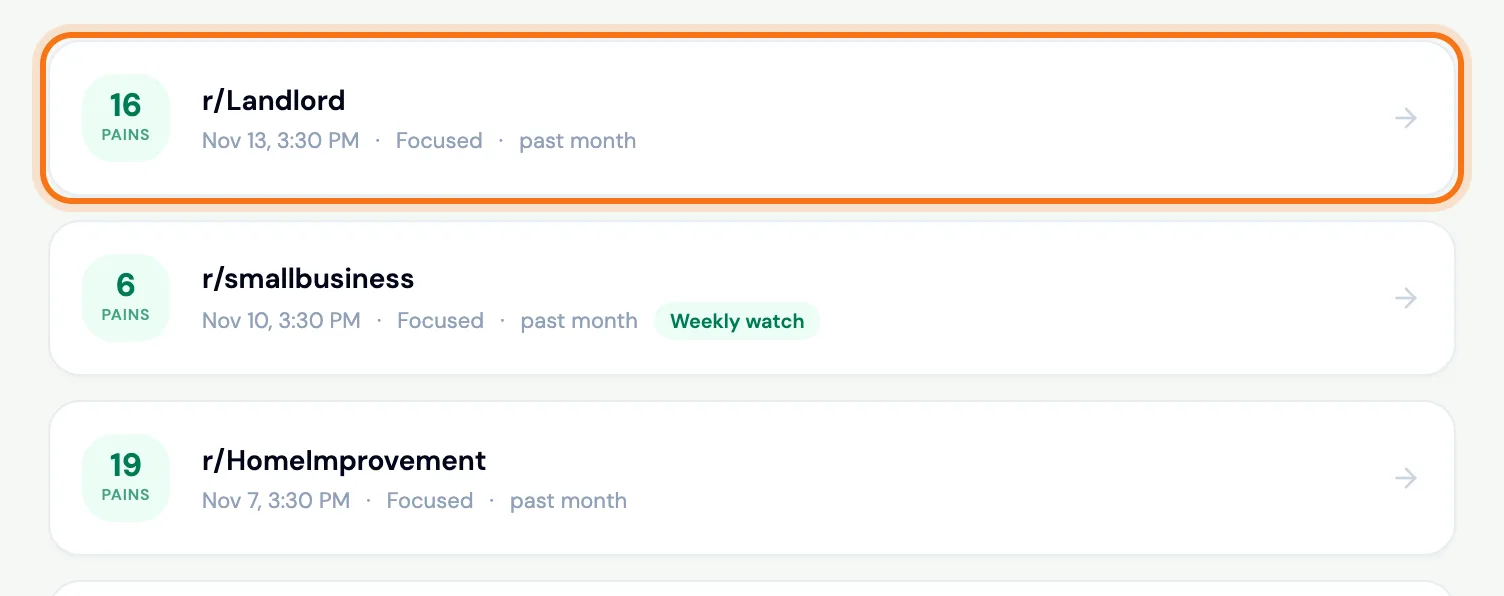 (opens the picture full size)
Step 2: Press Watch weekly
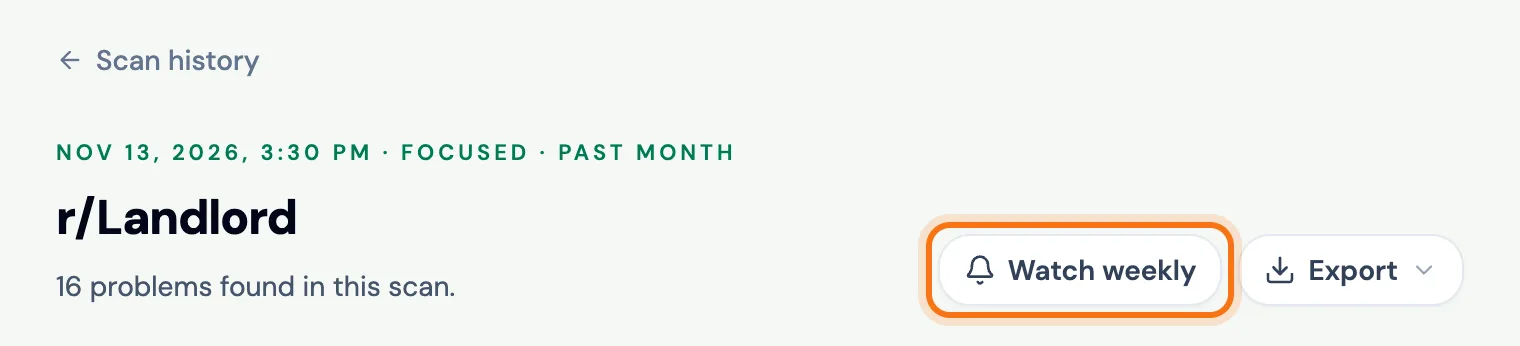
On the saved scan, press Watch weekly at the top, next to Export. It is also under fresh results when a scan finishes.
 (opens the picture full size)
Step 3: Add a focus if you like, then press Start watching
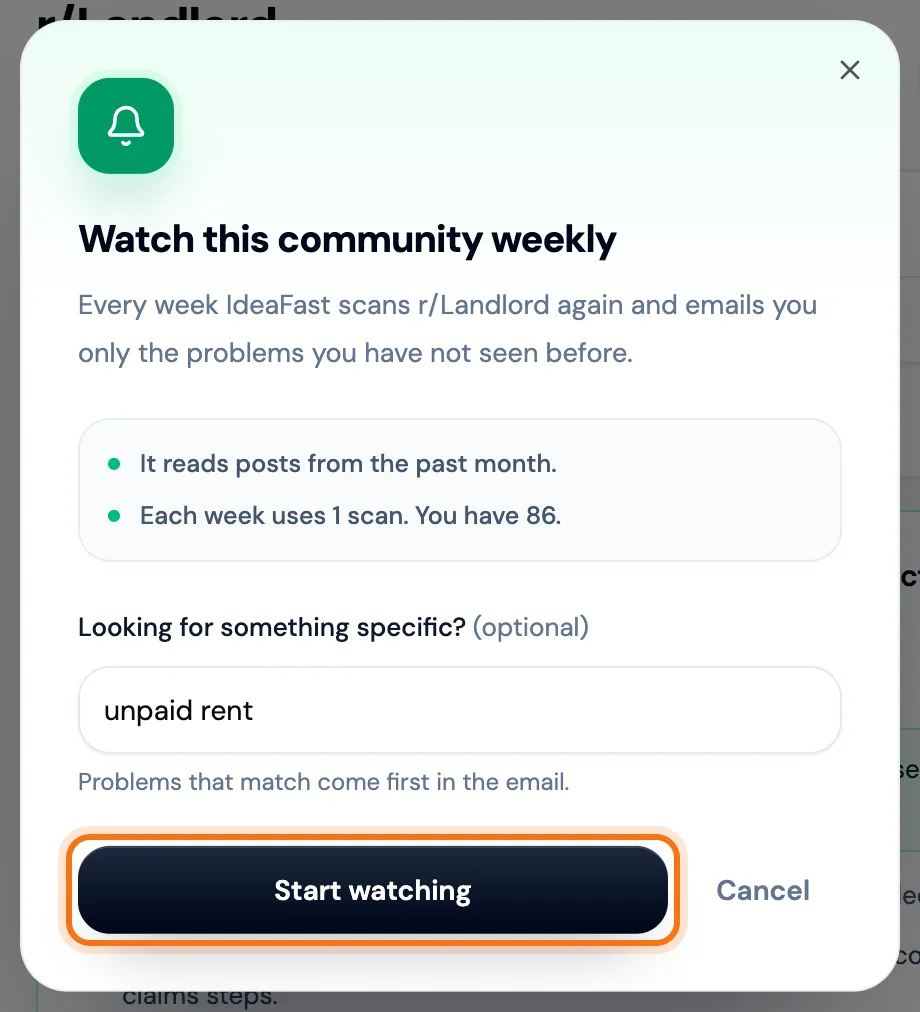
The window says what the watch reads and that each week uses 1 scan. Looking for one kind of problem? Type it under Looking for something specific?: problems that match come first in the email. Then press Start watching. IdeaFast tells you the date of your first email.
 (opens the picture full size)
Step 4: See your watches
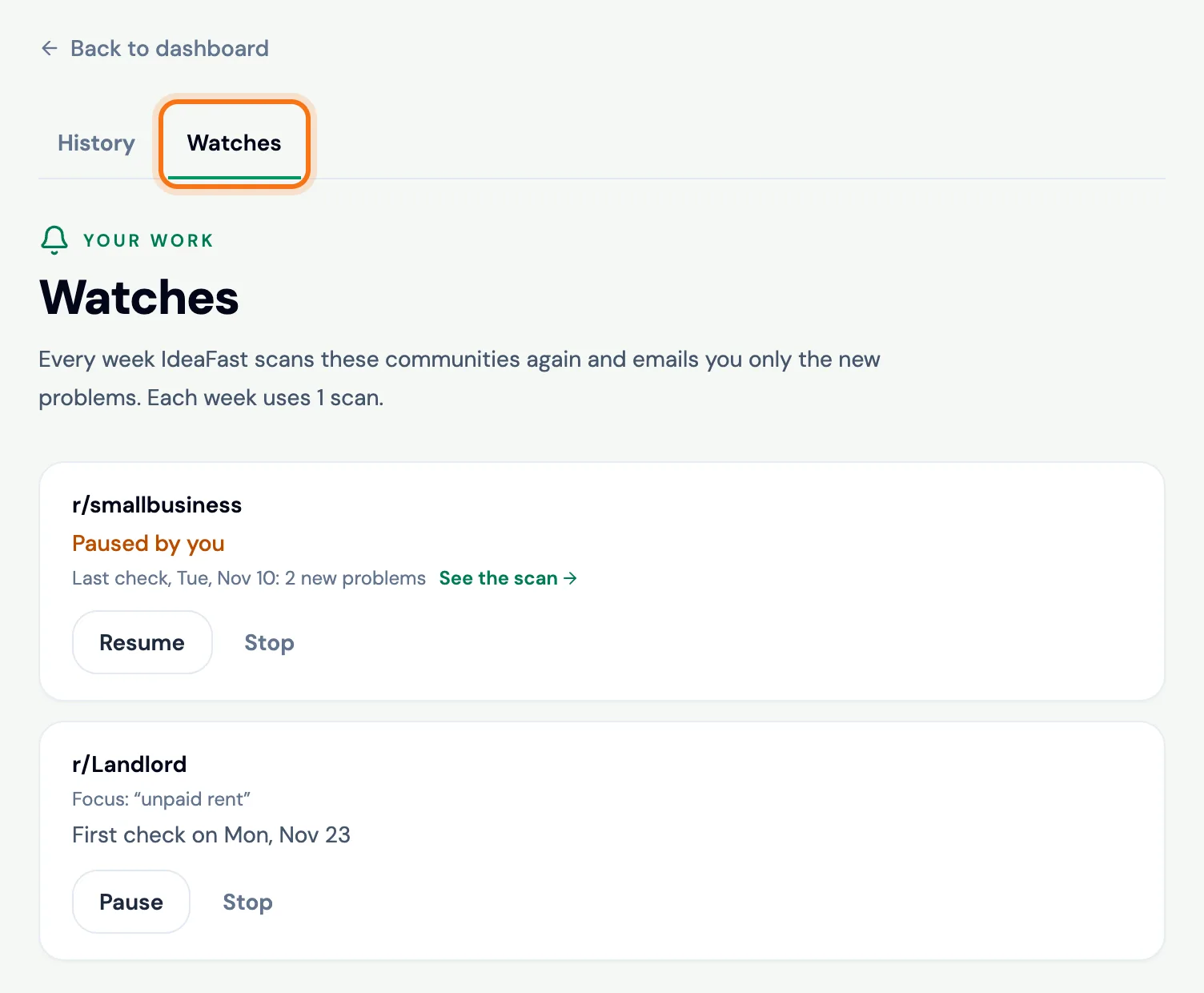
Your watches are under Scans, on the Watches tab. Each one shows its communities, its focus, when it checks next and what the last check found.
 (opens the picture full size)
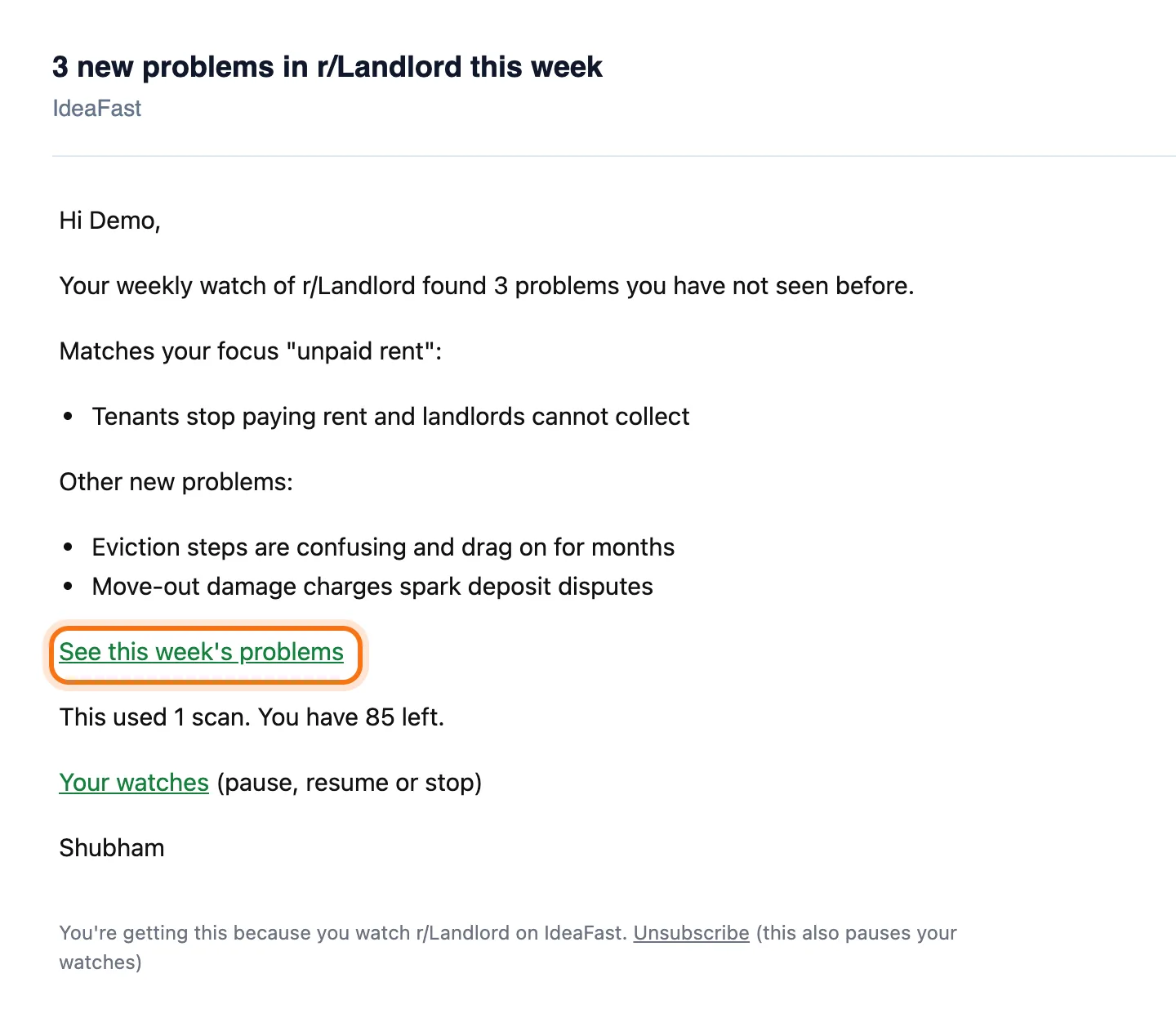
Step 5: Read the weekly email
Each week the email lists only the problems you have not seen before, with the ones that match your focus first. See this week's problems opens the week's scan with every post behind them. The email also says how many scans you have left.
 (opens the picture full size)
Step 6: Pause or resume a watch
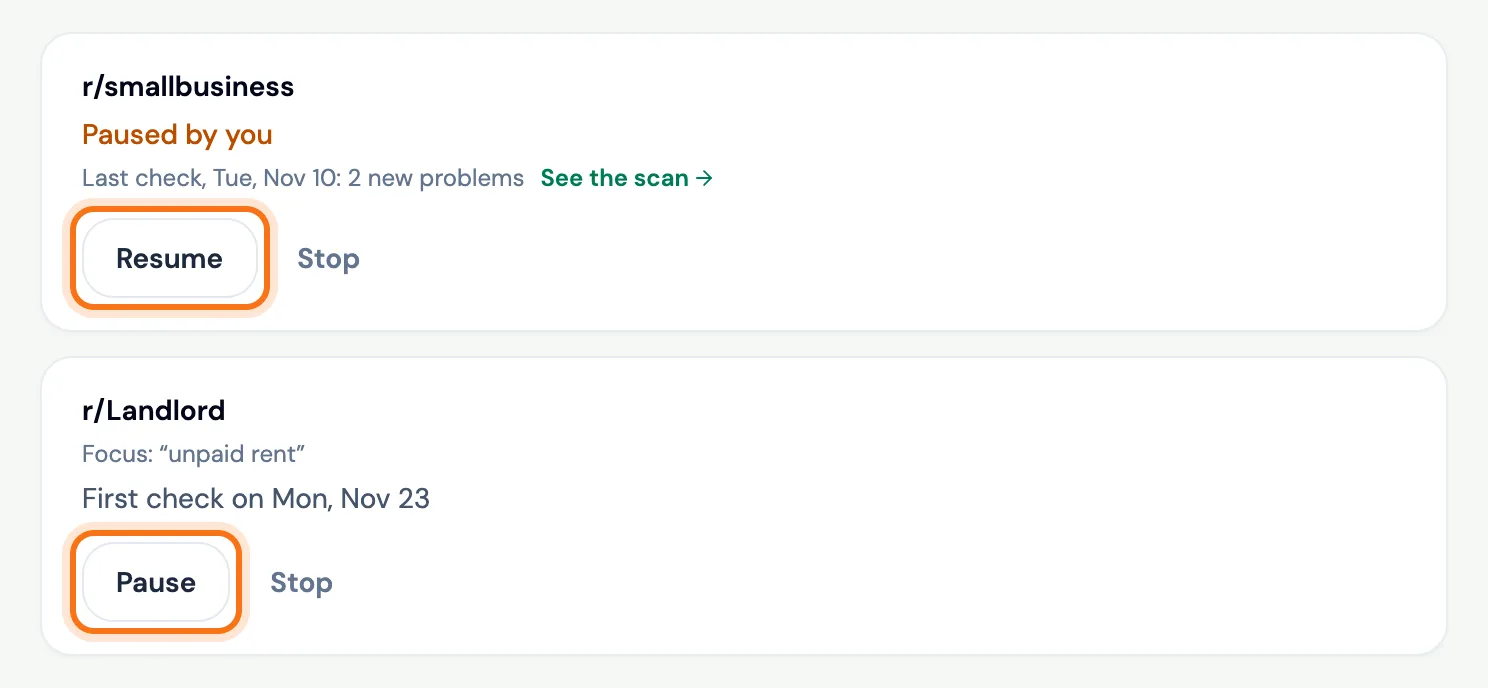
Going away, or saving scans? Press Pause. A paused watch uses no scans. Press Resume when you want it back.
 (opens the picture full size)
Step 7: Stop a watch for good
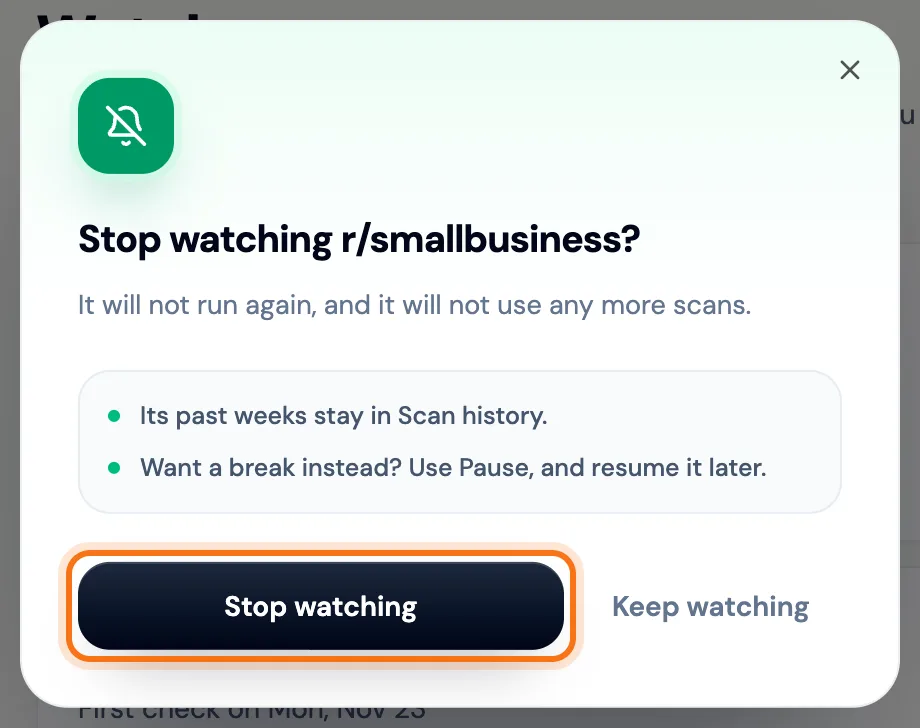
Press Stop, then Stop watching to confirm. It will not run again or use more scans, and its past weeks stay in your scan history. Want a break instead? Use Pause.
 (opens the picture full size)
What each pack includes
- Founder: 1 weekly watch
- Builder: 5 weekly watches
- Each week uses 1 scan from your pack. There is no subscription: scans are bought once and never expire.
- A watch covers the communities of the scan it starts from: up to 2 on Founder and 5 on Builder.
- A paused watch still counts toward your pack's number; a stopped one does not.
When a watch pauses on its own
- You have no scans left. Add scans, then press Resume.
- Nothing new turned up for 3 weeks in a row.
- You unsubscribed from IdeaFast emails, so the watch could not tell you what it finds.
Frequently asked questions
Is the IdeaFast weekly watch a subscription?
No. Each week uses 1 scan from a pack you bought once, and you can pause or stop a watch at any time. Founder: 1 weekly watch. Builder: 5 weekly watches.
Will the email repeat problems I have already seen?
No. Each week's email lists only the problems you have not seen before in those communities. The week's full scan, repeats included, is one click away in the email.
Does IdeaFast send keyword alerts?
No. IdeaFast has no keyword alerts and no live feed of mentions. The weekly watch emails the new problems once a week.
Why can I not start a watch?
Watches come with the Founder and Builder packs, and the window tells you when your pack's watches are all in use. A watch also needs at least one scan left, and IdeaFast emails turned on.
Related
Skip the manual digging
IdeaFast scans Reddit for you and scores real pain points with evidence. Run your first scan free.