A scan reads what people wrote in a Reddit community and gives you back the problems they keep raising, each scored from 0 to 100 and linked to the posts behind it. This guide walks through the first scan on a free account. The pictures come from a demo account with example results from r/Landlord.
Want the method behind it, not just the buttons? Read How to find customer pain points on Reddit. Want to look around before you sign up? The free Reddit pain point finder needs no account.
Run your first scan, step by step
Step 1: Open New scan
Sign up free with Google or your email. A new account opens on the scan setup. Later, click New scan in the side panel to start another one.
 (opens the picture full size)
Step 2: Say who you are building for
Type a group of people (landlords), a subreddit (r/Landlord) or a product (QuickBooks users), then press Enter. Not sure? Tap one of the examples under the box, or think of your job, your hobby or a group you belong to.
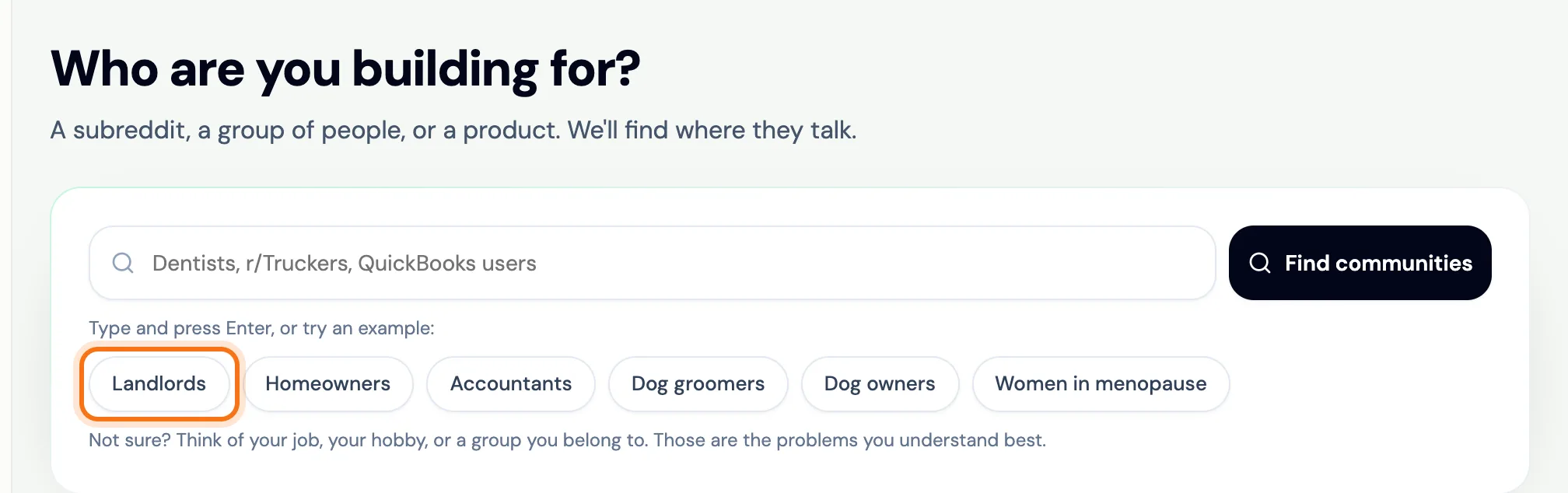 (opens the picture full size)
Step 3: Pick a community and press Run my scan
IdeaFast lists the communities where those people talk, best match first, and picks the best match for you. Your free scan reads 1 community; on the packs a scan reads more (Founder 2 and Builder 5). The line under your pick shows which posts are read, and Change sets the time frame. Press Run my scan. Most scans take a minute or two. You can close the page: IdeaFast emails you when the results are ready.
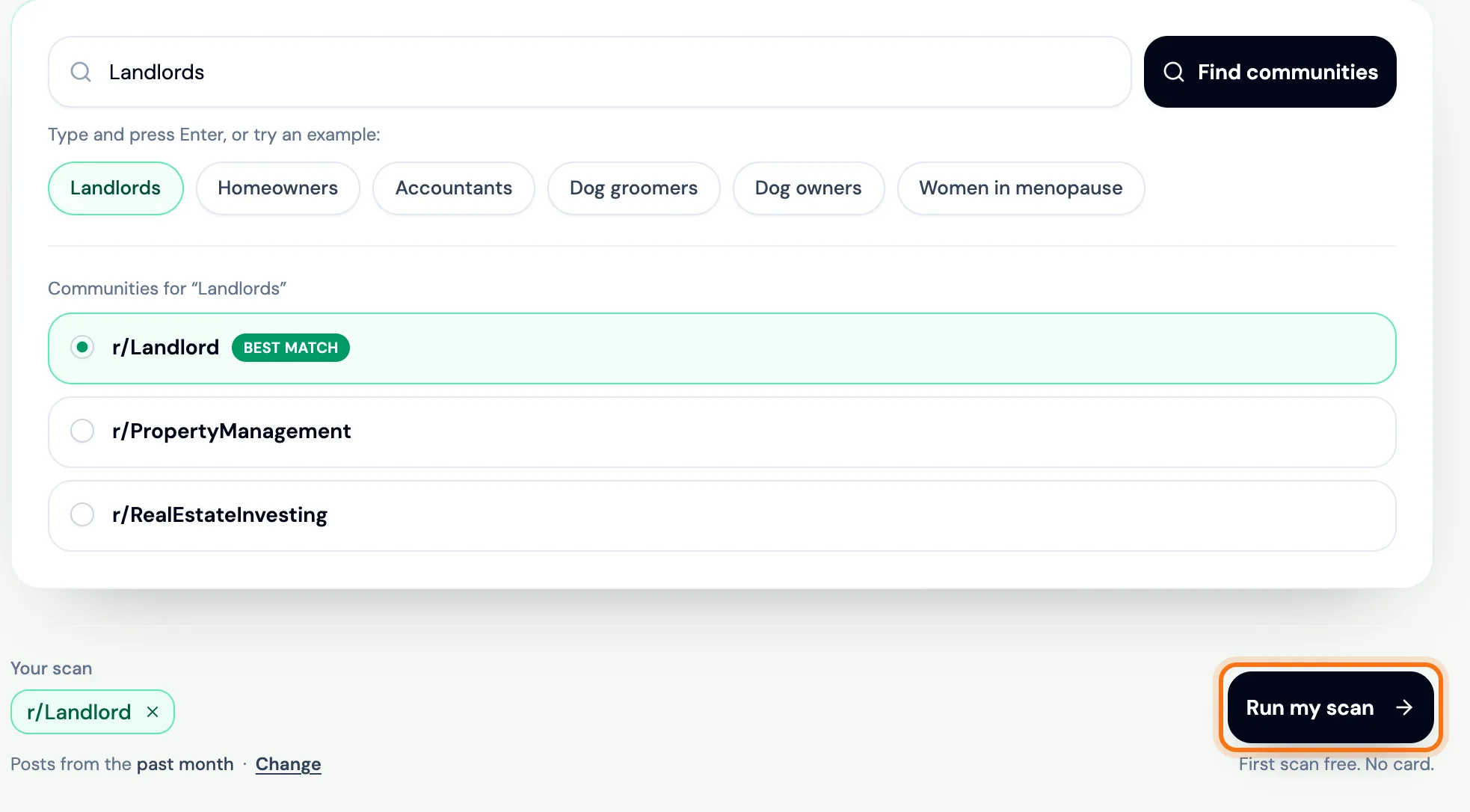 (opens the picture full size)
Step 4: Read the problems, strongest first
Each card is one problem people keep raising. It shows a score from 0 to 100, how many people raised it, what they are asking for and an angle you could build. The more people raise a problem and the more it hurts, the higher it scores.
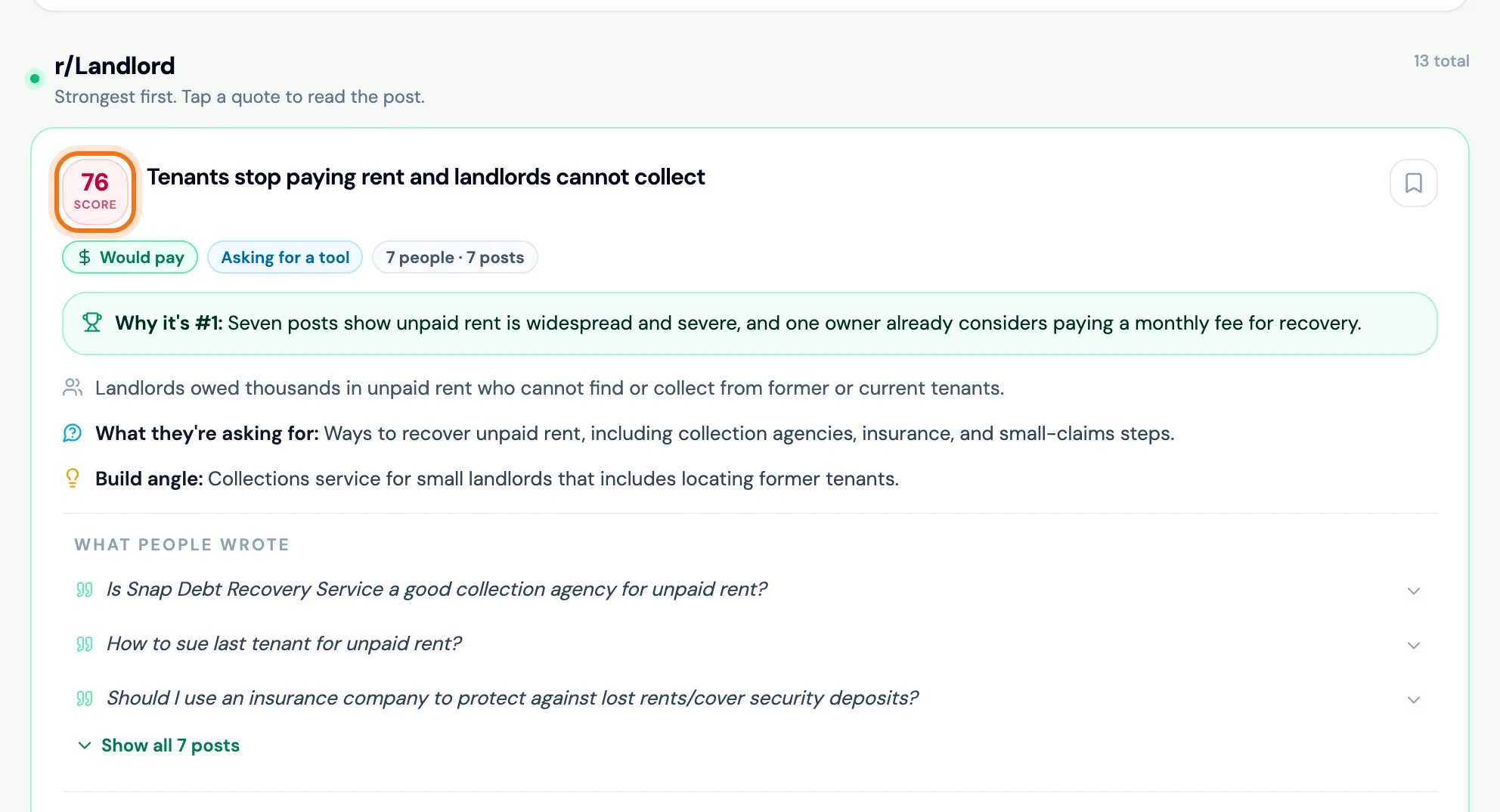 (opens the picture full size)
Step 5: Open the posts behind a problem
Click a quote under What people wrote to read the post. Open on r/Landlord opens the thread on Reddit, so you can check it yourself. Every problem links to the posts it came from.
 (opens the picture full size)
Step 6: Focus on what you need (optional)
Looking for one kind of problem? Type it under Looking for something specific? and press Focus. The problems that match move to the top, with the matching words marked. Focus works on saved scans too, and it does not use a scan.
 (opens the picture full size)
What your first scan includes
- One free scan with no card. It pays for a community scan or a check of one written idea.
- 1 community per scan on the free scan (Founder 2 and Builder 5 on the packs).
- Every problem with the posts behind it, each linked to its Reddit thread.
- 2 ideas per problem on the free scan (Founder 5 and Builder 10 on the packs).
- Your scan stays under Scans in the side panel. Opening it again does not use a scan.
What to do next
- Turn the strongest problems into ideas: How to come up with startup ideas from real problems.
- Check an idea you already have: How to validate a startup idea with the idea check.
- Get the new problems from a community every week: IdeaFast weekly watch.
- See how the score works: How IdeaFast scores pain points.
Frequently asked questions
Is the first IdeaFast scan really free?
Yes. A new account gets one free scan with no card. It pays for a community scan or a check of one written idea. After that you can buy one-time scan packs rather than a subscription: $19 for 40 scans or $49 for 100. Scans never expire.
What if I do not know which subreddit to scan?
Type the people you want to help, like landlords or truck drivers. IdeaFast suggests the communities where they talk, best match first, and you can also type a subreddit's name.
How long does a scan take?
Most scans take a minute or two. You can close the page: the scan keeps running and IdeaFast emails you when the results are ready.
Where do I find my scan later?
Click Scans in the side panel. Every scan you run stays there, and opening it again does not use a scan.
Related
Skip the manual digging
IdeaFast scans Reddit for you and scores real pain points with evidence. Run your first scan free.